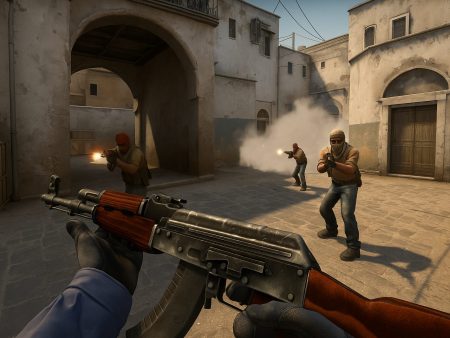
Master the movement mechanics in CS2 with this in-depth guide covering strafing, peeking, bunny hopping, and advanced tactics to outplay your opponents. Perfect for players looking to level up their game.

In the fast-paced, high-stakes world of Counter-Strike 2 (CS2), movement isn’t just about getting from point A to point B—it’s a fundamental component of competitive performance. Whether you’re clutching a 1v3 or taking an aggressive mid control, your movement can mean the difference between life and death. It’s a game of milliseconds, angles, and anticipation, and mastering how you move—literally—can elevate your gameplay from average to elite.
Think about it: what separates a casual player from a seasoned veteran? Sure, aim is a big deal, but even the best aimers will struggle if their positioning and movement aren’t sharp. Great movement allows you to peek at the right time, dodge shots, surprise enemies, and maintain map control. It’s what keeps you alive longer and puts you in positions to secure frags.
More importantly, your movement affects how other players perceive and react to you. A jittery peek can bait a shot, while a wide strafe can throw off someone’s crosshair placement. These subtle nuances are deeply rooted in CS2’s engine and mechanics, which reward mechanical finesse. With Source 2 powering the new engine, CS2 brings a refined movement system with enhanced responsiveness, adding more weight and realism to each step.
Movement is also crucial for mind games. Good players read your patterns. If you’re predictable—say, always wide-peeking or pushing the same corners—they’ll punish you for it. Fluid, adaptive movement keeps you unpredictable and deadly.
So, if you’re serious about improving your gameplay, it’s time to treat movement with the same importance as aim. It’s not flashy, but it’s the secret sauce behind many highlight reels.
The Evolution of Movement from CS:GO to CS2

Transitioning from CS:GO to CS2 wasn’t just a graphical overhaul—it fundamentally altered how movement feels and functions. Veteran players noticed it right away: peeking feels different, bunny hopping requires more finesse, and counter-strafing feels more responsive—yet punishing if mistimed. But what exactly changed?
CS2’s move to the Source 2 engine brought with it a more realistic and consistent movement model. In CS:GO, peeks were often sharper and more erratic due to lower tick rates and input inconsistencies. With CS2, the introduction of sub-tick updates allows for tighter hit registration and smoother movement transitions. This means when you strafe, stop, and shoot—those milliseconds are tracked more precisely. Your shot lands where it should, assuming you’ve timed your movement correctly.
Another major shift is the change in inertia and momentum. In CS:GO, movement felt “floaty” to many. CS2 adds a sense of weight—players decelerate more naturally, and this changes how peeking and repositioning are approached. It’s harder to do split-second stop-and-shoot unless your counter-strafing is perfect. This has forced even pro players to rework their muscle memory.
Jumping, bunny hopping, and strafing also received small but impactful tweaks. Bunny hopping in CS2 now feels more grounded, with a slightly lower margin for error, making it more skill-dependent. Strafing, especially mid-air or in peek scenarios, feels tighter, which means your timings must be even more deliberate.
Overall, movement in CS2 is more refined and punishing but also more rewarding when executed correctly. Players who master these changes will find themselves ahead of the curve, exploiting new mechanics that casuals and even some seasoned CS:GO veterans haven’t fully adapted to yet.
Core Movement Fundamentals
Walking, Running, and Crouching
Let’s get down to basics—because even though they might seem obvious, the way you handle walking, running, and crouching in CS2 can completely shift your effectiveness in a match.
Walking (holding shift) is your stealth mode. It makes your footsteps silent, allowing you to sneak up on enemies or reposition without giving away your location. Walking is crucial in clutch situations, post-plant scenarios, and when entering contested territory like bomb sites. However, walking also means you’re moving slowly—so you’re an easier target if someone catches you off guard. The trick is to balance when to walk and when to burst into speed.
Running is your standard movement speed. It’s the fastest way to rotate, reposition, and escape—but it’s noisy. Everyone in earshot will hear your stomping feet. Running through connector, mid, or tunnels without utility support is like ringing a dinner bell for the enemy. That said, in some scenarios, running and creating audio cues can actually be used strategically. For example, you can bait rotations by faking a rush with sound, forcing the other team to overreact.
Crouching is a powerful tool, but often misused. In a firefight, crouching can throw off an enemy’s aim, especially if they’re expecting you to peek at head level. It’s also great for holding off-angles or tucking into cover. But don’t crouch spam aimlessly—it slows you down and makes you an easy spray-down target. Plus, in CS2, crouching still impacts your movement speed, so over-reliance will cost you positioning.
Advanced players combine these three movement types on the fly. Think: running into site, walking the last few steps, crouch-peeking an angle, and then wide-swinging the next one. That dynamic control is what separates the good from the great. Master it, and you’ll start to see how fluid movement sets you up to win more fights—even before you shoot.
Acceleration and Deceleration Mechanics
One of the most overlooked yet essential elements of movement in CS2 is how acceleration and deceleration work under the hood. This isn’t just some physics geek talk—it’s at the heart of how you move, shoot, and survive.
Acceleration refers to how quickly your character reaches full movement speed. In CS2, this happens fairly quickly, but with just enough delay that it can throw off your aim if you don’t account for it. For example, if you start strafing left and immediately try to shoot, your accuracy will suffer unless you’ve fully stopped moving. That’s because your character is still accelerating and thus technically still “in motion.”
Deceleration, on the other hand, is how long it takes to stop moving after releasing a movement key. This is where counter-strafing comes into play (more on that in the next section). Deceleration feels different in CS2 compared to CS:GO—more natural, yes, but also more punishing if you try to force early shots before your character is fully stationary.
This is especially important during peeking and pre-firing. If you’re mid-stride and try to shoot, your bullets will spray wildly. The game rewards players who learn to master that precise moment when acceleration ends and you’re still enough to land a shot. It’s the sweet spot pros have mastered, and newer players often overlook.
You’ll notice it when holding tight angles too. If you’re strafing out for a peek, you need to decelerate instantly to shoot accurately. This is why top players are so quick at pressing opposite keys—it’s all about managing movement momentum to sync with your aim.
Knowing how these mechanics work turns movement into a calculated dance, rather than just spamming A and D. Once you get the rhythm of your acceleration and deceleration, everything else—your peeks, your aim, your duels—will start to feel more controlled and consistent.
Strafing in CS2
What Is Strafing?
Strafing in CS2 is one of the most fundamental skills every player must master to succeed at any level of play. At its core, strafing is the act of moving side-to-side using the A (left) and D (right) keys. But this isn’t just about dodging bullets or wiggling around a map—it’s a highly strategic action that affects your aim, positioning, and hit registration in combat.
In CS2, movement directly impacts weapon accuracy. When you’re in motion, especially at full speed, your weapon’s spread increases dramatically. That’s where strafing mechanics become critical—especially in combination with something called counter-strafing, which we’ll dive into shortly.
Basic strafing helps with:
- Dodging enemy shots during gunfights (known as AD strafing)
- Adjusting your aim to align with opponents coming around corners
- Creating peeks and baits to gather information without full exposure
If you’ve ever seen a player “dance” during a 1v1—constantly shifting left and right while trying to hit a pixel-perfect shot—they’re using advanced strafing to throw off the opponent’s aim while maintaining their own accuracy.
The trick is in timing. Strafing itself is useless unless you know when to stop moving and shoot. If you’re still mid-strafe when firing, your shots will go all over the place, especially with rifles like the AK-47 or M4. But if you strafe, stop perfectly, shoot, and move again, you become much harder to hit while still being deadly accurate. This is the essence of strafe-shooting in CS2.
Strafing is also used to hold angles aggressively. Instead of standing still, good players strafe in and out of cover, only exposing themselves for split seconds to check corners or line up pre-aims. Over time, this movement becomes muscle memory—and once you master the rhythm, it becomes second nature to “dance” around fights, peek with confidence, and dominate gunfights.
Counter-Strafing and Why It’s Crucial
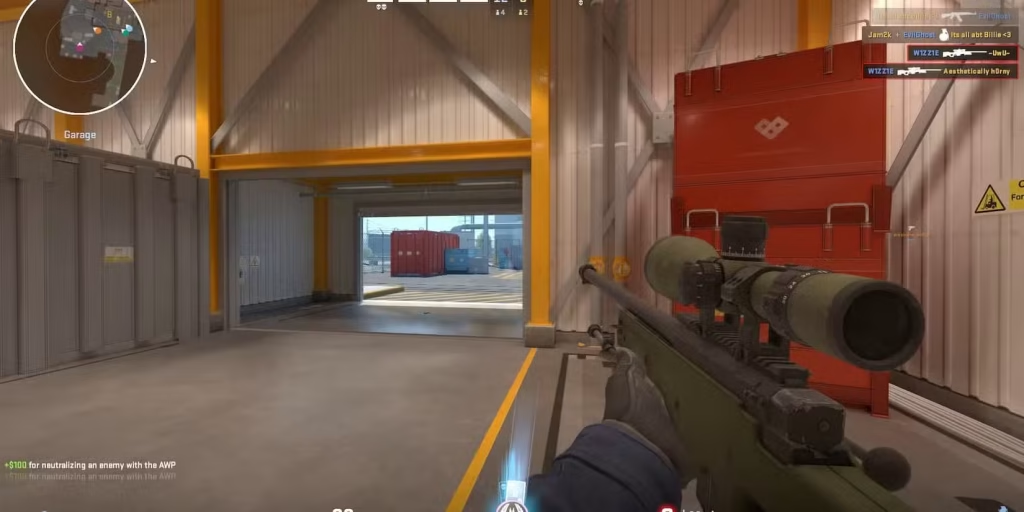
If you’ve been getting first-bulleted while your shots go haywire, you’re likely missing one critical skill: counter-strafing. This is the secret behind most crisp, one-tap headshots and lightning-fast reactions you see in pro play and frag movies.
Here’s the deal: in CS2, accuracy is tied to your movement. The game doesn’t reward shooting on the run. But if you stop your movement perfectly, even for a split second, your crosshair resets, and your bullet goes exactly where you aim. Counter-strafing allows you to stop instantly by pressing the opposite movement key to cancel your momentum.
Let’s break that down:
- You strafe left with A
- To stop immediately, tap D
- This cancels your momentum left and brings your character to a dead stop
- Now you’re perfectly still—and accurate—ready to shoot
The difference between tapping the opposite key and simply letting go of the current key is milliseconds. But in CS2, milliseconds are the difference between fragging and getting fragged.
Mastering counter-strafing isn’t just about reflexes—it’s about rhythm and timing. Try hopping into an aim training map and practicing short bursts of movement with instant stops, followed by a shot. Once this becomes muscle memory, you’ll notice a huge improvement in your first-shot accuracy.
In CS2, with its enhanced sub-tick responsiveness, counter-strafing feels more rewarding but also less forgiving. You’ll get punished for lazy movement habits. This makes learning the skill more crucial than ever—especially for roles like entry fraggers and AWPers who live and die by precise first shots.
Counter-strafing is the hallmark of a disciplined player. It’s not flashy, but once you have it locked in, every gunfight feels more controlled. You’re no longer relying on luck or spray—you’re snapping heads on purpose.
Mastering Pre-Aim with Strafing
If you’re walking into gunfights without pre-aiming, you’re doing it wrong. Pre-aiming is the act of positioning your crosshair before the enemy appears—so that when they do, you don’t need to flick, just shoot. And when combined with smart strafing, it becomes a deadly tactic.
The idea here is to use your strafing to line up your crosshair with expected enemy positions—corners, common angles, headshot spots—as you peek. Instead of reacting, you’re anticipating.
Let’s say you’re clearing Banana on Inferno. You strafe out from car to check sandbags. Instead of wildly flicking your aim, you’re already pre-aimed at head level where the enemy is likely holding. This gives you a massive advantage. You’re not aiming—you’re executing.
To master this, you need to:
- Learn common angle placements on each map
- Keep your crosshair at head height
- Use movement to align yourself with angles as you peek
- Strafe into your pre-aim—not after you’ve seen the enemy
It’s not just about positioning either. Pre-aiming with strafes reduces reaction time. You’ll peek already lined up to shoot, making your engagements much faster and more precise.
This skill scales with experience. As you learn more about map layouts, enemy habits, and utility usage, your pre-aims become more accurate. You’ll start hitting shots before others even realize you’re there.
In high-rank and pro-level matches, players don’t “flick” as much as you think—they just pre-aim insanely well, and combine it with perfect movement. It’s not magic, it’s muscle memory—and it starts with practicing how you strafe into peeks with your aim already in place.
Peeking Techniques
Jiggle Peeking
Jiggle peeking is an essential tool in your CS2 movement arsenal, used to gather information, bait out enemy shots, and check angles without fully committing your body to danger. It’s basically the art of quickly strafing left or right just enough to expose a pixel of your model—without being vulnerable for long.
Here’s what jiggle peeking is not: running wide into a corner hoping to spot someone. That’s a death sentence. Jiggle peeking is a controlled movement, meant to exploit timing, break enemy crosshairs, and draw out a reaction.
Here’s how to do it effectively:
- Stand near the edge of cover (like a box, wall, or doorway)
- Quickly tap A or D to expose a small part of your body
- Immediately tap the opposite key to return to cover
The goal? Force a shot, get information, or even pre-aim based on enemy tendencies.
Jiggle peeking is especially strong against snipers. AWPers usually hold tight angles, and if you move just enough to get them to fire, they’re on a long reload—and now you can capitalize. This is why you’ll often see players jiggle mid or apps on maps like Mirage—trying to bait the sniper shot without dying.
In CS2, with improved hit registration and sub-tick precision, jiggle peeking feels even tighter. Your strafes register more accurately, and you can abuse angles with minimal exposure. That said, it also means enemies can punish sloppy jiggles more effectively—so your timing and speed must be on point.
Combine jiggle peeking with shoulder peeks, counter-strafing, and utility usage, and you’ll become a nightmare to hold against. You’ll make enemies second-guess their holds, waste their ammo, and give your team critical intel—all while staying alive.
Shoulder Peeking
Shoulder peeking is a close cousin to jiggle peeking, but with a slightly different goal. While jiggle peeking may expose part of your head and body to bait a shot or spot an enemy, shoulder peeking is even more minimal—it’s about showing just enough of your shoulder (or weapon model) to bait enemy fire or get a read on who’s holding an angle.
In CS2, where hitboxes and animations are more refined, shoulder peeking has become even more valuable. Because of how the peeker’s advantage works—especially on high ping or low tick servers—being able to safely bait out shots or info without truly exposing your head is a game-changer.
Here’s how to shoulder peek properly:
- Stand near a corner or wall.
- Quickly tap into the open with very slight movement, showing just your shoulder.
- Return immediately to cover.
- Repeat if needed—but never get greedy.
This technique is especially useful when trying to:
- Check for AWPers or scoped rifles.
- Force a shot before executing a push.
- Gather audio cues like scope switches or footsteps.
- Make enemies nervous or reposition.
One great use-case is when you’re about to push onto a site, and you’re pretty sure someone’s holding an angle with an AWP. Instead of dry peeking (which often ends in a one-tap death), you shoulder peek. If the AWPer shoots, boom—they’re on cooldown, and now you can either swing or throw utility.
Shoulder peeking works best with solid movement fundamentals—especially fast counter-strafing. Your peeks need to be precise, tight, and quick. If you linger too long, you’re a free kill. If you move too little, you might not get the enemy to fire.
Advanced players often combine shoulder peeks with sound manipulation, like fake stepping or jump peeking, to force overreactions. It’s all about mind games—making your opponent think you’re about to peek when you’re not, and capitalizing on their panic.
If jiggle peeking is about calculated information gathering, shoulder peeking is about subtlety and deception. It’s a small movement with big strategic impact.
Wide Peeking vs. Close Peeking
In the world of CS2, how you peek can make or break your gunfights—and understanding the difference between wide peeking and close peeking is key to outmaneuvering your opponents.
Let’s break them down:
- Wide Peeking: This involves swinging wide into an angle, exposing more of your body, but potentially catching enemies off-guard by changing the timing or breaking their crosshair placement. You move far enough into the open that if the enemy is pre-aiming close to the corner, your wide movement throws off their aim.
- Close Peeking: This is a tighter, more controlled peek where you slowly clear angles by moving just enough to expose yourself to that angle. It’s safer in theory, but also predictable—especially if the enemy is holding a tight angle with perfect crosshair placement.
So, when should you use each?
Use Wide Peeking When:
- You suspect someone is holding the angle passively.
- You want to catch an AWPer off guard.
- You’re trading with a teammate or swinging off their contact.
- You’re playing aggressively and want to dominate the timing.
Use Close Peeking When:
- You’re unsure if someone is holding the angle.
- You’re checking common spots with minimal risk.
- You’re trying to clear corners one-by-one (especially on T-side executes).
What makes wide peeking work is confidence and precision. If done half-heartedly, you’ll be exposed for too long and get punished. But if done decisively, it can break enemy holds and lead to easy frags.
Pro tip: Wide peeking is especially strong when paired with sound cues or utility distractions. For example, throw a flash or smoke and swing wide right after—it forces enemies to adjust their aim mid-fight, giving you the edge.
On the flip side, don’t rely solely on close peeking—it becomes predictable and often gives the enemy too much time to react. Mix up your approach, bait out shots with jiggles or shoulders, then wide swing when they least expect it.
In short: close peeking for info, wide peeking for kills. Learn both, know when to use them, and keep your enemies guessing.
Timing and Audio Cues in Peeking
In CS2, peeking isn’t just about movement—it’s about timing, sound, and reading your opponent. Perfect peeks aren’t random—they’re calculated, based on what you hear, what you see, and what you expect the enemy to do.
Audio cues are your best friend in CS2. The game rewards players who can interpret sounds quickly and accurately. Whether it’s an enemy reloading, scoping, jumping, or stepping—every sound provides a window of opportunity. A good player listens for these cues and peeks at the exact moment the enemy is least prepared.
Let’s say you hear an enemy jump or throw a nade. That half-second? That’s your chance to peek. Their crosshair might be off, they might be switching weapons, or just caught off-guard. Timing your peek here increases your chance of winning the duel significantly.
Likewise, your own sound cues can give you away. Running up to a peek point will alert any nearby enemy. Instead, many pros walk up to the angle, then burst peek when they’re ready—giving them full control of the engagement.
Smart peeking also involves reading rotations and utility usage. If you just heard 3 nades go off on A, there’s a good chance fewer players are on B. Peeking into that info can lead to easy site control or a pick.
Timing also applies to teamplay. Swinging with a teammate (a double peek) can overwhelm a single defender. One draws the fire, the other lands the kill. Great teams peek in sync—bad teams peek one by one and feed.
To master timing and audio peeks:
- Wear good headphones.
- Practice map-specific sound cues.
- Use a coach or demo review to spot bad timing habits.
- Watch pro demos to study how top players peek off sound.
Bottom line: In CS2, peeking is a mental game as much as it is mechanical. Outsmart your opponent by listening more, thinking ahead, and peeking with purpose—not just instinct.
Bunny Hopping Explained
What is Bunny Hopping and Its Origins
Bunny hopping—or bhopping—is one of the most iconic movement techniques in Counter-Strike history. Dating back to the early days of CS 1.6, bhopping has always been a high-skill maneuver that lets players maintain or even gain speed while jumping repeatedly, instead of slowing down like with regular movement.
It’s called “bunny hopping” because the movement resembles a rabbit hopping—jumping continuously while strafing to maintain momentum. When done correctly, bhopping can let you rotate faster, escape danger, dodge bullets, and reach unexpected positions.
In CS:GO, bhopping was technically possible, but limited by air acceleration caps. You couldn’t gain infinite speed like in classic CS or on surf servers—but you could still use it to move quicker or silently around maps.
In CS2, bunny hopping is still viable—but more refined. The Source 2 engine has made movement more realistic and predictable, which affects how bhops work. The air acceleration feels tighter, meaning the window to chain successful hops is smaller. This makes bunny hopping more difficult, but also more rewarding.
Why bother learning bhopping?
- Silent movement across open areas (e.g., from mid to connector).
- Faster rotates on maps like Overpass or Vertigo.
- Creative flanking routes that catch enemies off guard.
- Dodging AWP or rifle shots with erratic mid-air movement.
While you won’t be zooming across the map like on custom KZ or bhop servers, incorporating a few chained bhops into your movement can shave off seconds and confuse opponents—especially if you’re using it after getting a kill or escaping a fight.
It’s also just incredibly satisfying. Hitting smooth, fluid bhops feels like flying—and in a game as punishing as CS2, even small movement edges can decide a round.
Bunny Hopping Mechanics in CS2
To master bunny hopping in CS2, you need more than just fast fingers—you need rhythm, timing, and precision. Unlike traditional movement, bhopping relies on chaining together well-timed jumps and air strafes to maintain momentum. If you miss a beat, your momentum dies, and you’re left hopping in place like a noob.
Here’s a breakdown of the proper technique:
- Start with a running jump. Gain initial momentum.
- As soon as you hit the ground, jump again immediately—you need to time it perfectly (this is the hardest part).
- While in the air, use A and D to strafe and move your mouse in the same direction—A + mouse left, D + mouse right.
- Avoid pressing forward (W) after your first jump. It kills your momentum.
In CS2, the Source 2 engine allows for slightly more consistent air acceleration, but the margin for error is tighter than ever. You’ll need to practice the timing over and over until your fingers just “know” when to jump.
What changed from CS:GO to CS2?
- Sub-tick updates mean the server is more responsive to your jump inputs, but this also means that mistimed jumps will be punished.
- Visuals and animations are smoother, making it easier to track your bhops but also more revealing to the enemy if you mess up.
- Hitboxes and air control feel more grounded, so you can’t abuse bhopping like in custom servers—but it still gives you a movement edge when done right.
In ranked or pro play, you’ll often see players use mini-bhops to:
- Jump silently off ledges.
- Cut corners faster during rotations.
- Evade enemies while escaping or repositioning.
Just remember—bhopping is flashy, but not always practical in combat. Don’t overdo it. Use it as a movement supplement, not a crutch. Practice on workshop bhop maps or KZ servers, and you’ll build the muscle memory to add this slick mechanic to your arsenal.
When and Where to Use Bunny Hopping
You’ve got the bhop technique down—but when should you actually use it in a real game? Timing and context are everything. In CS2, bhopping is best used as a strategic movement enhancer, not a constant method of travel.
Here are the ideal situations to use bhopping:
- Rotating Quickly: Let’s say you’re CT on Inferno, rotating from B to A. A few chained bhops can get you there faster than standard running, especially if you hit perfect jumps.
- Silent Movement: Bhopping off a ledge can mute your landing sound. This is useful when dropping down from Heaven on Nuke or Window on Mirage. If done right, you avoid making noise and surprise your enemy.
- Escaping or Repositioning: After taking a fight or throwing utility, bhopping can help you retreat quickly without giving your opponent time to line up a shot.
- Avoiding Spray or AWP Shots: Random, mid-air bhops can throw off enemy aim, especially if they’re pre-firing or holding a pixel angle.
However, there are times when bhopping is risky:
- In combat: If you’re trying to bhop during a firefight, you’ll likely get sprayed down. You’re vulnerable and not accurate while jumping.
- On loud terrain: If you fail the hop and start landing heavily, you create more sound than just walking or crouching.
- When you’re low HP: Bhopping into open areas exposes you more than just walking carefully with cover.
So the rule of thumb is: use bhops to get somewhere faster, not to fight better. Practice your hops in private servers, get a feel for how much speed you can retain, and incorporate them into your game naturally. It’s a flex skill—but also a functional one when used wisely.
And nothing feels cooler than flying through a smoke with perfect bhops and catching a player off guard. Trust me.
Advanced Movement Techniques
Silent Drop and Ledge Jumps
In the heat of battle, sound is everything—and sometimes, making a silent drop can be the difference between surviving or getting pre-fired mid-air. That’s where silent drops and ledge jumps come into play.
Silent drops allow you to fall from heights without making a noise. This is useful on maps like:
- Mirage (from Window to Connector)
- Nuke (Heaven to A site)
- Vertigo (scaffold areas)
To perform a silent drop:
- Approach the ledge and crouch-walk off slowly.
- Time your landing so that you land on a surface or slope that negates sound.
- In some cases, landing while holding crouch helps mute the noise further.
Ledge jumps, on the other hand, are small hops you perform to climb over boxes, barrels, or gaps that normally slow you down. A good ledge jump saves time, creates new off-angles, and helps you get into position silently and quickly.
Here are some popular ledge jump spots:
- Dust2: Jump from Xbox to Catwalk
- Ancient: Ledge movement in mid
- Inferno: Jump from Logs to Banana wall
Perfecting these jumps allows you to:
- Gain map control faster
- Set up early picks or defenses
- Confuse opponents with off-angle positioning
To improve:
- Use custom jump training maps
- Practice crouch-jumps and jump-binds
- Memorize ledge hitboxes and timings
Advanced movement isn’t just about speed—it’s about control, silence, and misdirection. Learn these quiet maneuvers, and you’ll be playing chess while your enemies are stuck on checkers.
Air Strafing and Velocity Control
Air strafing is an elite mechanic that separates movement gods from the rest. It’s the ability to control your movement mid-air by combining mouse movements and directional keys—allowing you to curve through the air, maintain speed, and land exactly where you want.
Here’s how it works:
- When in the air, stop pressing W
- Hold A and move your mouse left (or D and mouse right)
- Sync your key and mouse direction to control your trajectory
- Don’t overdo it—fluid, subtle movements work best
The benefits of air strafing:
- Allows precise landings
- Boosts bunny hopping
- Helps in escaping or repositioning
- Reduces fall damage with smoother landings
In CS2, air strafing feels tighter but more predictable compared to CS:GO. That’s good—it means once you master the flow, you can consistently land faster rotates or execute sneaky plays like:
- Air-strafing into Window on Mirage
- Landing fast boosts on Ancient
- Dodging in-air AWP shots
Velocity control is about knowing how fast you’re moving and when to cut or gain speed. It’s especially important for:
- Hitting clean bhops
- Avoiding overpeeks
- Adjusting jump arcs during fights
It’s subtle but game-changing. Once you feel the momentum, CS2 movement becomes a playground—not a prison.
Ladder Movement Tactics
Ah, ladders. The weird, awkward verticality in CS2 that often gets players killed. But when used right, ladders can offer unique movement opportunities, off-angles, and even clutch saves.
Here’s what you need to know:
On Ladders:
- Pressing Shift slows your climb, but also makes you silent
- You can peek while on a ladder by letting go of W and tapping A/D
- Jumping off a ladder and strafing mid-air allows surprise drops
Pro Ladder Tricks:
- On Nuke, jump from the ladder into Heaven silently
- On Vertigo, hold quirky angles from ladders to watch boosts
- On Train (in custom servers), use ladder flicks to 180 enemies behind you
One unique quirk in CS2 is that you can shoot while on ladders—but your accuracy is garbage. So if you’re going to fight from a ladder, use it as a fakeout or distraction, not a primary combat zone.
Most players avoid ladders—but if you learn how to use them smartly, they become unexpected tools of control. Be unpredictable. No one expects a ladder peek into a headshot.
Conclusion and Summary
Movement in CS2 isn’t just a skill—it’s a weapon. From the fundamentals of walking and crouching to the advanced art of strafing, peeking, and bunny hopping, mastering your movement makes you harder to hit, quicker to react, and always one step ahead of your opponents.
The difference between a good and great CS2 player often comes down to milliseconds. A perfectly timed counter-strafe. A silent drop into site. A wide peek that catches an AWPer off guard. These micro-movements win rounds—and eventually, matches.
So don’t just practice your aim. Practice your movement. Make it a habit. Use training maps. Watch demos. Drill your strafes and bhops until they’re second nature. Because once your movement is fluid and purposeful, the rest of your gameplay will level up with it.
FAQs
What is the best way to learn counter-strafing?
Start in aim training maps like Aim Botz. Focus on tapping A and D, then shooting the instant you stop. It’s all about timing and muscle memory.
Is bunny hopping allowed in ranked CS2?
Yes, bhopping is allowed. It’s not considered cheating—just a high-skill movement mechanic. However, scripting or macroing bhops is bannable.
How do pros peek so efficiently?
Pros combine crosshair placement, counter-strafing, sound reading, and timing to create calculated peeks. It’s not random—it’s all practiced.
What settings help with smoother movement?
Use high FPS, low input lag settings. Turn off mouse acceleration, use raw input, and cap your FPS to reduce variance. Also, practice with jump binds for consistency.
Are there movement-specific roles in team play?
Yes. Entry fraggers often need strong peeking and movement skills. Lurkers use silent movement and jumps to flank. Even support players need tight movement to throw nades effectively.