New to Counter-Strike 2? This ultimate CS2 beginner guide covers everything from settings, maps, weapons, and recoil to teamplay and ranking. Learn how to get started, improve fast, and dominate the game in 2025!

Counter-Strike 2, often abbreviated as CS2, is Valve’s latest evolution of the legendary tactical shooter series. If you’ve heard of Counter-Strike: Global Offensive (CS:GO), think of CS2 as its bigger, better, and cleaner sibling. Built using the powerful Source 2 engine, CS2 offers vastly improved graphics, smoother gameplay mechanics, and a better networking structure. It still holds the same competitive spirit and fundamentals that made CS:GO one of the most played esports titles globally, but with a modern polish that makes it appealing for both new and returning players.
What separates CS2 from other shooters is its commitment to realism and strategy. This isn’t your run-and-gun battle royale. Every round counts, and each decision—whether it’s buying a weapon, holding an angle, or rotating to another bombsite—can swing the match. CS2 focuses heavily on team coordination, map control, and precise aim. There’s no health regen, and bullets don’t magically go where you’re pointing unless your aim is on point.
With millions of players worldwide and a thriving esports scene, CS2 offers a deep and rewarding experience. Whether you’re looking to casually play with friends or aim to climb the competitive ranks, there’s a spot for everyone. But getting started can feel overwhelming if you’re new. That’s why understanding the basics right from the jump is crucial.
Why You Should Play CS2
Why CS2, out of all the shooters out there? Because it’s the gold standard for competitive FPS games. It’s not only skill-based but fair—there are no character abilities or pay-to-win elements. Your success in CS2 comes down to your reflexes, positioning, decision-making, and teamwork.
Here’s what makes CS2 worth your time:
- Skill Ceiling: The better you get, the more rewarding it becomes. Even after hundreds of hours, you’ll still find areas to improve.
- Thrilling Competitive Environment: Every match feels like a chess game with guns. You’ll love the adrenaline rush of clutch moments.
- Community and Esports: Watch professional tournaments like BLAST Premier or ESL Pro League and learn how top-tier players think and move.
- Endless Learning Curve: From map tactics to grenade lineups, CS2 always has something new for you to master.
Plus, Valve has made CS2 free-to-play, meaning your only investment is time and a bit of patience. If you’ve ever wanted to experience the real heart of competitive FPS gaming, this is the place to start.
Setting Up for CS2

Minimum System Requirements
Before diving into CS2, you need to make sure your PC can run it. Since it’s built on the Source 2 engine, CS2 is more demanding than CS:GO. However, it’s still optimized for a wide range of systems. Here’s what you’ll need at minimum:
| Component | Minimum Requirements |
|---|---|
| OS | Windows 10 (64-bit) |
| CPU | Intel Core i5-2500K / AMD FX-6300 |
| GPU | GTX 1050 Ti / Radeon R7 370 |
| RAM | 8 GB |
| Storage | 85 GB available space |
| DirectX | Version 11 |
Of course, these are just the basics. For a smoother experience, especially if you want to play competitively, consider upgrading to at least a GTX 1660 or better, and 16 GB of RAM. CS2 is heavily reliant on FPS (frames per second), and even a small frame drop can ruin your clutch moment.
Downloading and Installing CS2
Installing CS2 is a breeze, especially if you already have Steam installed:
- Open Steam and log in with your account.
- Search for Counter-Strike 2 in the store.
- Click Play Game – it’s free to install.
- Steam will automatically start downloading it.
- Once done, launch the game from your Library.
If you had CS:GO previously installed, CS2 may overwrite it as an update, since Valve transitioned the game client to CS2. You won’t lose your inventory, ranks, or settings—everything carries over.
Make sure you have enough storage space and a stable internet connection, as the download can be hefty.
Configuring Game Settings for Optimal Performance
Once installed, your first step should be configuring your settings. Performance > Aesthetics. Here’s how to squeeze the best out of your setup:
- Video Settings:
- Resolution: Stick with native or 4:3 stretched (competitive preference).
- Display Mode: Fullscreen for the best FPS.
- Anti-Aliasing: Low or off.
- Shadows and Effects: Low for visibility and performance.
- Audio Settings:
- Enable HRTF for 3D spatial sound.
- Turn off in-game music, except for bomb/round timers.
- Mouse Settings:
- Raw input: On
- Acceleration: Off
- Sensitivity: Start with 2.0 and adjust over time.
- Crosshair:
- Customize to your liking (use a simple dot or dynamic crosshair).
- Save your favorite crosshair codes or use pro player presets.
Save these settings and stick with them for consistency. It’s tempting to tweak things often, but stability is key to improvement.
Understanding the Game Mechanics

Basic Controls and UI Overview
When you first load into CS2, the interface might look minimalistic, but every part of it serves a purpose. From the scoreboard to the radar, understanding how to interpret the game’s UI and mastering the controls is vital.
For a full look what each part of the interface and HUD does check out or in-depth guide.
Here’s a breakdown of the default keybinds you’ll use the most:
- WASD – Movement
- Mouse1 – Fire
- Mouse2 – Aim down sights or alternate fire (scoped weapons)
- R – Reload
- E – Use (for planting, defusing, picking up items)
- 1-5 – Weapon slot selection
- B – Buy menu (only in buy zones and early round)
- TAB – Scoreboard
- M – Team selection menu
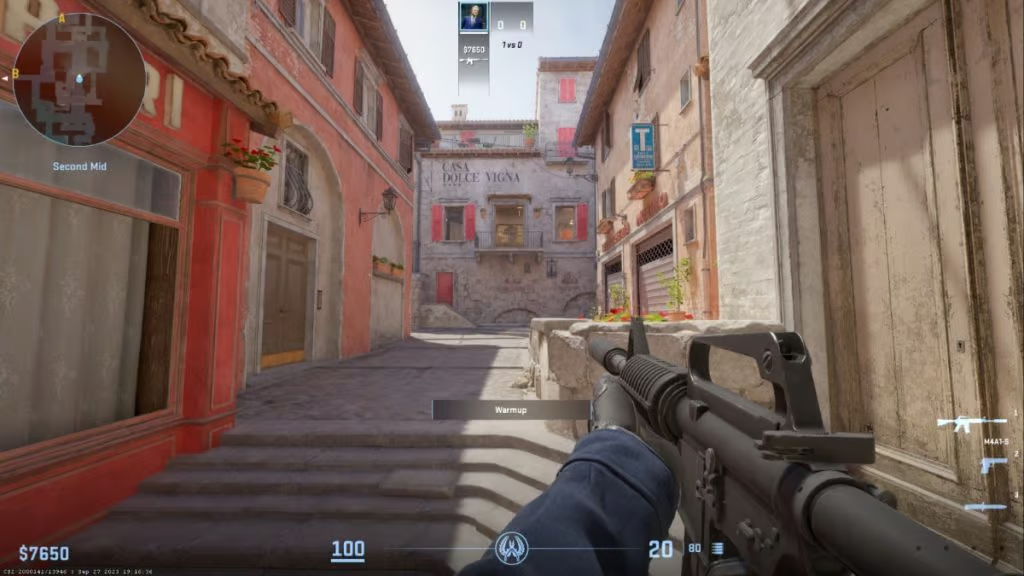
The radar (top left) gives a quick view of ally positions, known enemy spots, and callouts. Your ammo, armor, and health are shown at the bottom. The buy menu, which appears at the start of each round (see also how rounds work), allows you to purchase weapons and gear based on the money you’ve earned.
One underrated but essential setting is enabling the developer console (~ key by default). This allows you to input commands for practice, configuration tweaks, and launching custom maps. To enable it, go to Settings > Game > Enable Developer Console > Yes.
Mastering your controls means more than just knowing what buttons to press. It’s about muscle memory and reacting quickly. Customize your keybinds to feel natural to you, and stick with them to build consistency over time.
Movement, Shooting, and Recoil
Unlike other fast-paced shooters, CS2 has a unique movement and shooting system that rewards discipline and timing. You can’t just sprint around and expect your bullets to land. CS2 penalizes movement accuracy heavily. Learning how to stop before shooting is the cornerstone of good gunplay.
Let’s break it down:
- Movement: Strafing (A/D) is essential for peeking and dodging. Learn to “counter-strafe” — when moving left, quickly tap the opposite key (D) to stop instantly and shoot. This helps you stay accurate.
- Jumping and Crouching: Jumping around corners or crouch-peeking are advanced mechanics used for specific scenarios, not all the time. Overuse leads to predictability.
- Recoil: Every gun has a spray pattern. The AK-47, for instance, pulls up and to the left in a predictable path. You need to “pull down” with your mouse to compensate. Spend time in practice maps to learn these patterns.
- Tapping vs. Spraying: Tapping (single shots) and bursting (2-3 shots) are accurate, especially at longer ranges. Spraying is only viable up close unless you’ve mastered the recoil.
Mastering movement and shooting takes time, but it’s what separates casual players from deadly opponents. Don’t rush it—build the habit of stopping before firing, and you’ll see improvements in your accuracy.
Health, Armor, and Economy System
Let’s talk about survival—and how to afford it.
In CS2, you don’t regenerate health. If you take damage, the only way to get healed is to wait for the next round. That’s why managing damage and buying armor becomes crucial.
- Health: You start each round with 100 HP. Headshots are lethal with most rifles (especially the AK-47), so awareness and positioning are key.
- Armor: You can buy Kevlar (body armor) and a helmet. This reduces incoming damage, especially from SMGs and pistols. Always buy armor before a weapon if you’re low on funds.
- Money System: The economy in CS2 is round-based. You earn money by winning or losing rounds, planting/defusing the bomb, and getting kills. The better your team does, the more you can buy. But lose too many rounds in a row, and you’re stuck on “eco” (economic) rounds with pistols only.
Here’s a simplified economy table:
| Action | Reward |
|---|---|
| Kill (rifle/SMG) | $300–$600 |
| Bomb plant | $800 |
| Bomb defused | $300/team |
| Round win bonus | $3250–$3500 |
| Round loss streak | $1400 to $3400 |
Balancing your money with your teammates is essential. Don’t buy an AWP (sniper) if your whole team is on pistols. Play smart, save when needed, and coordinate purchases.
Core Game Modes Explained
Competitive Mode
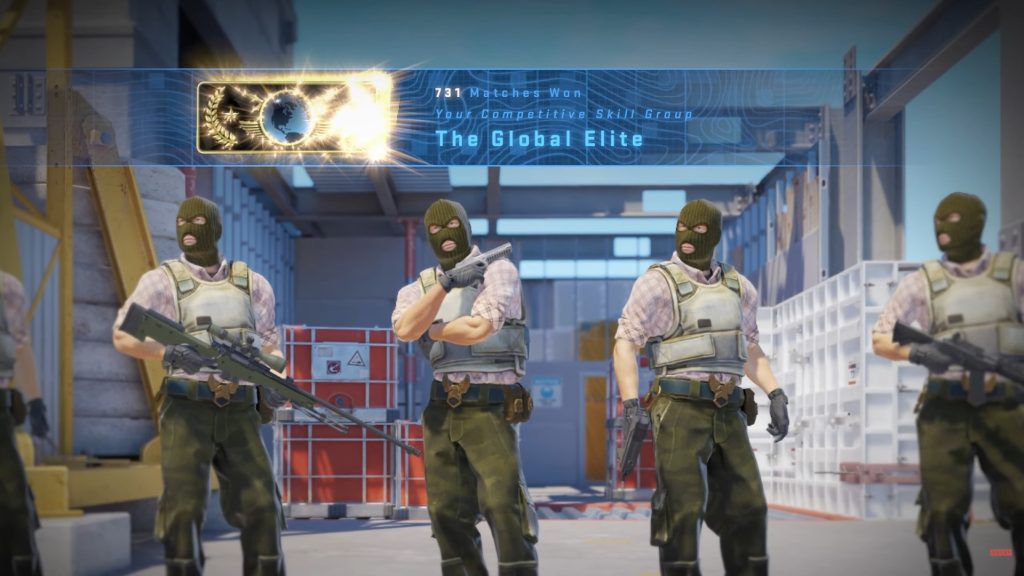
This is where the real CS2 experience happens. Competitive mode is a 5v5 match where two teams—Terrorists and Counter-Terrorists—battle across 30 rounds. The first team to win 16 rounds takes the victory. If it’s 15-15, the match ends in a tie (unless you’re playing in tournament settings).
Here’s why competitive is the core of CS2:
- Round Economy: Each round matters, both tactically and financially.
- Roles Matter: Every player has a job—entry fragger, AWPer, lurker, support.
- Communication is Crucial: You’ll need to call out enemies, strategies, and coordinate pushes or retakes.
Winning in competitive mode isn’t just about aim—it’s about brains, patience, and teamwork. If you want to improve quickly, play competitive, but be ready to learn from your mistakes.
To unlock competitive, you may need to reach a certain rank or complete placement matches. Valve often introduces new trust systems or anti-smurf measures to keep matchmaking fair.
Casual Mode
If competitive feels too intense, start in casual mode. It’s a great way to learn the maps, practice gun mechanics, and experiment with grenades without the pressure of ranking or economy management.
Key differences:
- More Players: 10v10 matches
- Full Buy Anytime: You don’t need to worry about the economy
- Faster Respawn: Some casual maps allow respawning
- Lower Pressure: It’s okay to mess up—you’re learning
Casual is perfect for warming up, getting used to how CS2 “feels,” and having fun without consequences. It’s also a great way to discover your preferred playstyle and favorite weapons before jumping into ranked.
For more on other game modes see our full guide on: How to Play Deathmatch, Competitive, and Wingman Modes
Getting Comfortable with Maps
Popular Maps Every New Player Should Learn
Maps are the battlefield in CS2, and knowing them inside out gives you a massive advantage. CS2 features several iconic maps that have been part of the Counter-Strike franchise for years. As a beginner, your focus should be on mastering a few core maps rather than trying to learn all of them at once.
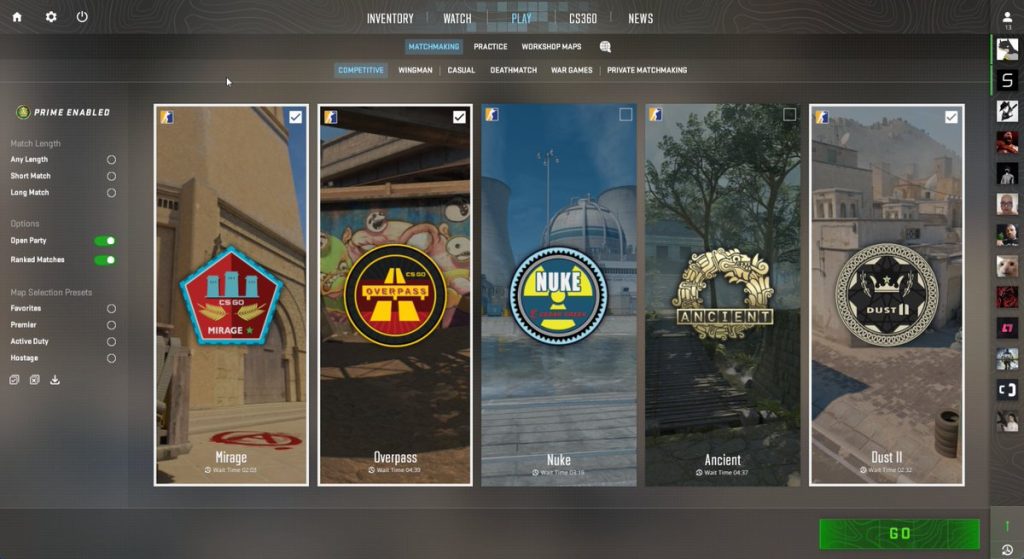
Here are the most popular maps you should start with:
- Dust II – The most iconic map in CS history. Symmetrical, easy to learn, and perfect for practicing aim and positioning.
- Mirage – A staple in competitive play. Offers balanced opportunities for strategy, utility use, and mid control.
- Inferno – Known for tight chokepoints and grenade usage. Great for learning team coordination and bombsite executions.
- Nuke – A vertical map that requires strong map awareness. Best saved for intermediate players.
- Overpass – Has a mix of long-range and close combat zones. A good next step once you’ve mastered Mirage and Dust II.
Start by picking one map (like Dust II or Mirage) and playing it repeatedly. Learn the layout, callouts, common hiding spots, and grenade throws. This builds your confidence and helps you develop map-specific strategies over time.
We also have a full guide on what beginners maps to learn first as well as how and why.
How to Use Map Callouts
Map callouts are specific names given to areas of each map that players use to communicate enemy positions or strategies. Learning them is crucial to effective team communication.
For example, on Dust II, some common callouts include:
- Long A – The long corridor leading to A site from Terrorist spawn.
- Catwalk (Cat) – The short ledge leading to A site from mid.
- Mid – The central area of the map.
- T Spawn / CT Spawn – Where each team begins each round.
- B Tunnels – The pathway that connects T-side to B site.
You don’t have to memorize everything in one day. Start with the map you’re playing and focus on the most frequently used callouts. Use visual aids like radar maps, or watch YouTube guides that show the locations in-game.
Once you’re familiar, start using these terms in matches—even if your teammates aren’t. This habit trains your brain to think tactically and improves your team communication immensely.
Importance of Map Awareness and Positioning
CS2 isn’t just about shooting—it’s about being in the right place at the right time. Map awareness means knowing where your teammates and enemies are, and predicting where threats might come from.
Here’s how to build map awareness:
- Watch the radar constantly—it gives real-time info about your teammates’ positions and spotted enemies.
- Listen to footsteps and sound cues—CS2 has directional audio that tells you where the enemy is moving.
- Track utility usage—If you hear a smoke grenade at Mid, it might mean a push is coming.
Positioning is just as important. Avoid standing in open spaces or predictable spots. Try these beginner tips:
- Use cover—Boxes, doors, corners—anything that reduces your exposure.
- Hold angles—Position yourself so you can peek only part of your body when spotting enemies.
- Don’t overcommit—If you get one kill, reposition. Smart players will pre-aim your last location.
Great map awareness and positioning can often win fights against players with better aim. It’s chess—not checkers.
Great map awareness and positioning can often win fights against players with better aim. It’s chess—not checkers.
Weapons and Loadouts
Primary Weapons: Rifles, SMGs, and Shotguns
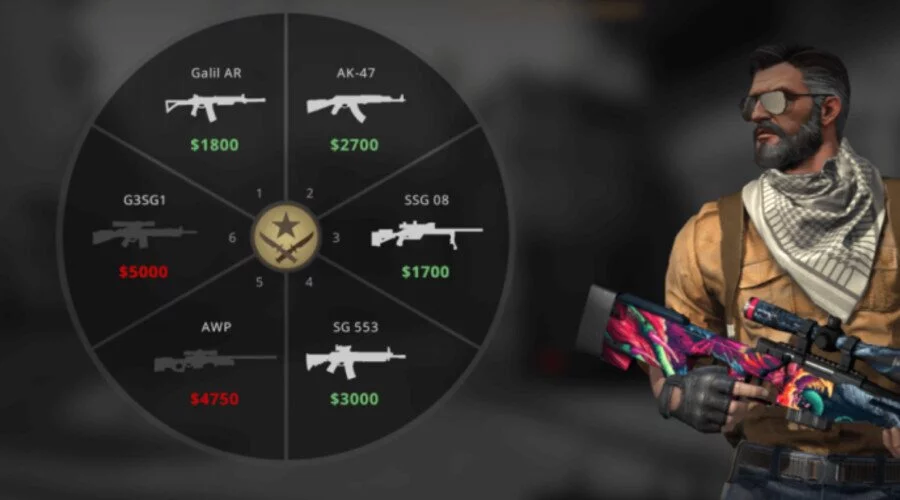
Choosing the right weapon can make or break a round. In CS2, your choice should depend on your economy, role, and personal comfort. Let’s break down the primary categories:
- Rifles:
- AK-47 (T-side): One-tap headshot capability, great damage.
- M4A4/M4A1-S (CT-side): Accurate, fast fire rate, ideal for holding angles.
- FAMAS/Galil: Cheaper alternatives, good during force buys.
- SMGs:
- MP9, MAC-10, UMP-45: High mobility, good for close range, and money-making in eco rounds.
- These are great for running and gunning after winning a pistol round.
- Shotguns:
- Nova, XM1014: High damage up close, but situational.
- Good for holding tight corners or surprise attacks in close quarters.
If you’re just starting out, practice with the AK-47, M4A1-S, and MP9. Learn how they feel, how they spray, and what range they’re best at.
Pistols and Sidearms
Even when you can’t afford a rifle, pistols give you a fighting chance. Every player starts with a basic sidearm, but knowing when to upgrade is crucial.
- Glock-18 (T-side default): Best used with burst fire in close range.
- USP-S / P2000 (CT-side default): Accurate first shot, silencer offers stealth.
- Desert Eagle (Deagle): High-risk, high-reward pistol. Can one-tap enemies with a headshot.
- Five-Seven / Tec-9: High fire rate and decent armor penetration.
- P250: A cheap pistol that packs a punch, good for eco rounds.
Pistols often shine in eco or force-buy rounds where every bullet matters. The Deagle and P250 are fan favorites for their versatility.
Grenades and Tactical Equipment
Grenades are your secret weapon in CS2. Used properly, they can win rounds without firing a bullet. Here’s what each grenade does:
- Flashbang: Blinds enemies. Perfect for entry fragging or stopping pushes.
- Smoke Grenade: Creates a vision block. Use to cover bomb plants, block enemy sightlines, or fake strategies.
- Molotov/Incendiary: Area denial. Burns a portion of the map, forcing enemies to move or take damage.
- HE Grenade: Deals explosive damage. Great for damaging enemies hiding behind cover.
- Decoy: Mimics firing sounds. Mostly used to distract or fake pressure.
Beginner tip: Learn basic grenade lineups for your favorite maps. Start with one or two smokes for Mirage or Dust II, and build your library over time. Knowing when and where to use grenades makes you ten times more effective in any match.
Developing Your Skills
Aim Training and Reflex Improvement
One of the biggest challenges for new CS2 players is mastering aim. The game has no aim assist, and bullets don’t always go where your crosshair is unless you control movement and recoil perfectly. So how do you get better?
- Aim Trainers: Use tools like Aim Lab or Kovaak’s, or even CS2’s own workshop maps like Aim Botz and training_aim_csgo2. Spend 15–30 minutes a day practicing flicks, tracking, and headshots.
- Deathmatch Servers: These are perfect for warming up before competitive games. Play a few rounds, focusing solely on hitting heads.
- Crosshair Placement: Keep your crosshair at head level and aimed at common enemy positions as you move. This reduces reaction time and increases kill chances.
- Sensitivity: Find a DPI/sensitivity that lets you aim precisely. Most pro players use a lower sensitivity for better control. Start with 400–800 DPI and an in-game sens of 1.5–2.5.
Improving your aim is all about consistency. Treat it like a muscle—you’ll get stronger the more you train it. Be patient. Improvement comes over weeks, not days.
Learning Recoil Control
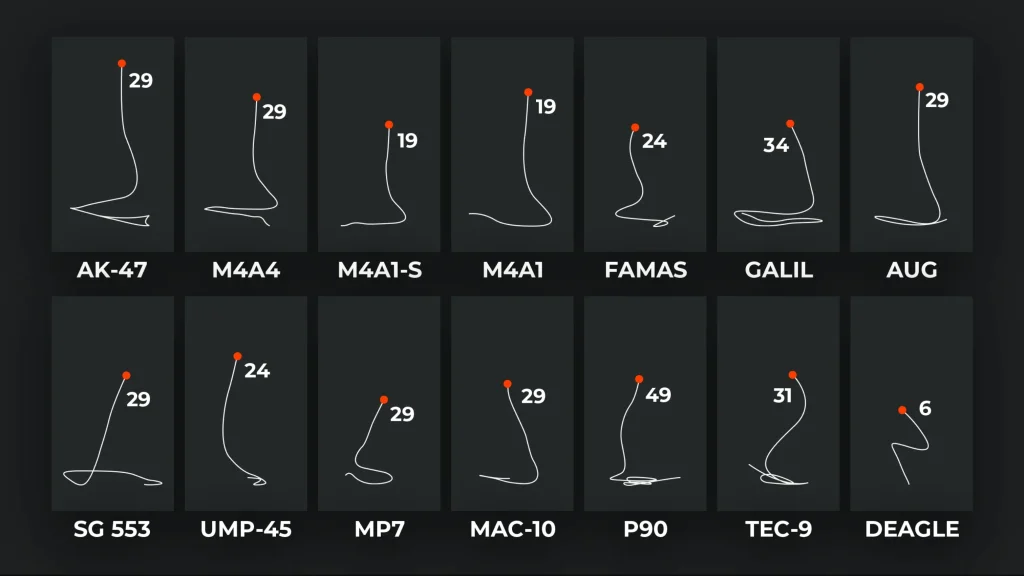
Every gun in CS2 has a unique spray pattern, meaning your bullets don’t go straight when holding fire. Recoil control means learning these patterns and moving your mouse in the opposite direction while spraying to keep your shots accurate.
- Start with AK-47 or M4: Practice spraying at walls in training maps. Observe how the bullets go up, then left, then right. Mimic that pattern in reverse.
- Use Crosshair Tracking Tools: Try workshop maps like Recoil Master, which shows the gun’s spray path in real-time.
- Tap or Burst at Range: Long-distance fights require burst firing, not spraying.
It’ll feel unnatural at first, but once you learn to compensate for recoil, you’ll win way more gunfights.
Practicing Utility Usage (Smoke, Flash, Molotovs)
In CS2, utility can shift the outcome of a round more than bullets alone. Knowing how to throw a well-placed smoke or flash can control space, force movement, and even win rounds without firing a shot.
Start with these basics:
- Smoke Mid on Mirage
- Flash Long on Dust II
- Molotov Banana on Inferno
Use YouTube or workshop maps with practice setups to learn the exact lineups. Even just two or three useful grenades per map can massively increase your value to your team.
You should also learn:
- Pop flashes (that explode right in front of enemy eyes)
- One-way smokes (you can see through, they can’t)
- Retake nades (using grenades to safely re-enter a bombsite)
Practice makes perfect. Don’t neglect utility training—it’s what separates good players from great ones.
Teamplay and Communication
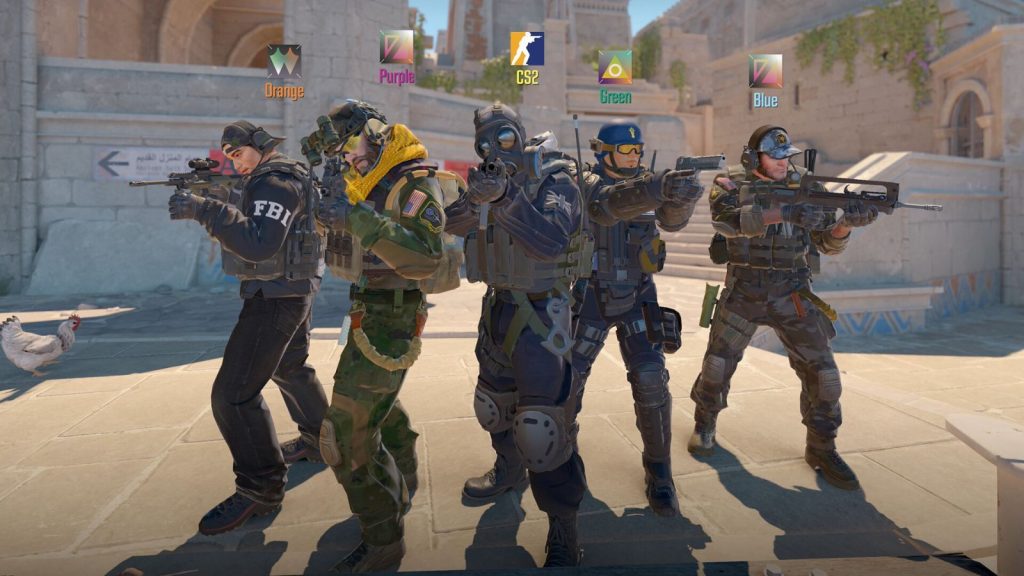
Using Voice Chat and Pings Effectively
Communication in CS2 is everything. Even if you have top-tier aim, you’ll lose games without team coordination. The best way to coordinate is through voice chat.
- Use Mic Clearly and Briefly: Call out enemy locations using map callouts like “2 Long A,” or “Bomb down Mid.”
- Don’t Spam: Avoid yelling or talking too much. Say what’s necessary, and stay calm under pressure.
- Ping System: If you don’t have a mic, use the ping system. It highlights locations for your teammates to see.
Pro tip: Always call out if you spot the bomb, hear enemy footsteps, or use utility. Sharing information is what turns five solo players into a team.
Understanding Team Roles and Coordination
Just like a sports team, every CS2 squad benefits from defined roles. While you won’t always have perfect coordination in matchmaking, knowing what roles exist helps you play smarter.
- Entry Fragger: First into the site, takes initial duels.
- AWPer: The sniper—holds long lines of sight.
- Lurker: Plays away from the team to catch rotations.
- Support: Throws utility, flashes in teammates, and plants the bomb.
- In-Game Leader (IGL): Calls the overall strategy.
You don’t need to specialize right away. Instead, learn a little of each and adapt to what your team needs in a given match. Flexibility wins games.
Importance of Team Economy and Strategy
Ever seen a teammate buy an AWP while the rest of the team has pistols? That’s a classic example of poor economy coordination. CS2 is as much about money as it is bullets.
- Always communicate before buying: If everyone can afford rifles and armor, buy together.
- Save rounds when needed: Losing a round isn’t the end—save your gear for the next.
- Plan executes: Use smokes, flashes, and a clear entry plan instead of running in blind.
It’s worth reading our full economy basics guide in order to get a better understanding of what you should be investing in at the start of each round.
Winning is a team effort. Play smart, spend smart, and support each other.
Climbing the Competitive Ladder

Understanding Ranks and Matchmaking
After a few placement matches, CS2 assigns you a competitive rank. Ranks range from Silver (beginner) to Global Elite (top-tier). These ranks reflect your skill level and determine who you’re matched with.
Rank tiers include:
- Silver I – Silver Elite Master: New or casual players.
- Gold Nova I – Master Guardian II: Intermediate players.
- DMG – Global Elite: Highly skilled to professional-tier.
To improve your rank:
- Win consistently
- Play with teammates
- Avoid toxicity and abandon penalties
- Focus on improvement, not the number
Don’t chase the rank. Chase the skills that lead to the rank.
Tips for Winning More Ranked Matches
Winning in ranked CS2 means playing smart, communicating, and minimizing mistakes. Here’s how to stack the odds:
- Play in a full stack with friends to improve coordination.
- Use a mic, even just to make basic callouts.
- Stick with your role—don’t try to do everything yourself.
- Stay calm, even when you’re losing. Comebacks happen all the time in CS2.
- Adapt mid-game—if rushing A isn’t working, switch it up.
You’ll lose games—it’s part of the learning curve. Focus on being a better teammate each match, and your win rate will naturally rise.
Staying Consistent and Improving Over Time
Consistency is the name of the game. Aim, movement, strategy—it all gets better with repetition and review.
To stay consistent:
- Play regularly: Even just 30 minutes a day helps maintain muscle memory.
- Watch your demos: Analyze what went wrong and what could improve.
- Take breaks: Don’t burn out. Play because you enjoy it, not just to rank up.
- Celebrate small wins: Every clutch, every improvement, every headshot matters.
Progress is a journey, not a race. Be proud of your growth—even the slow bits.
Conclusion
Starting out in CS2 can be a mix of adrenaline, frustration, and occasional glory. But the journey from clueless beginner to confident competitor is one of the most satisfying experiences in gaming. From learning callouts and recoil patterns to mastering grenade throws and clutching rounds, every step forward is a victory.
Take it slow. Learn one thing at a time. Focus on improvement, not perfection. Make friends, join a team, and don’t be afraid to fail. Because every top fragger once had to learn how to buy armor, plant the bomb, and figure out which side was CT.
You’re on the right path—and this is just the beginning.
FAQs
How long does it take to get good at CS2?
It varies! With consistent play (a few hours a week), most players see big improvements within 2–3 months.
Can I play CS2 solo, or do I need a team?
You can absolutely play solo. Just be ready to communicate and adapt—many players climb ranks without a premade team.
Is CS2 beginner-friendly compared to CS:GO?
Yes. CS2 features improved visuals, sound, and UI that help new players ease in. But the core gameplay still has a steep learning curve.
What’s the best way to practice aim?
Use workshop maps like Aim Botz or third-party trainers like Aim Lab. Play deathmatch regularly to improve reflexes.
How often should I play to see improvement?
Consistency is key. Even 30 minutes a day can help maintain and improve your skills.